🧗 Free · Ages 10+ · JavaScript · No download
How to make a Platformer game in JavaScript
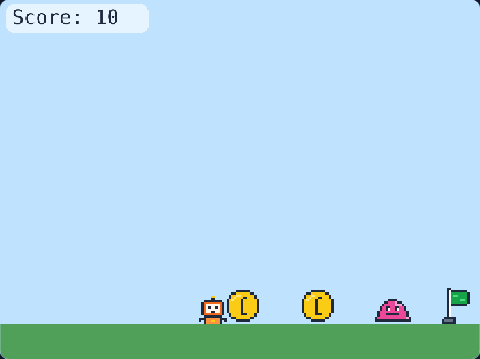
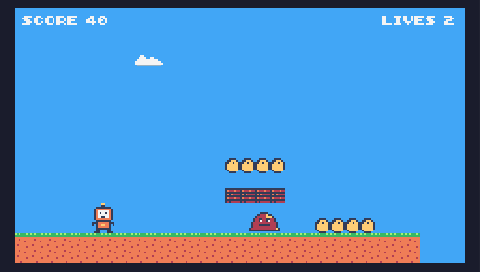
Run, jump over spikes, collect coins and reach the flag. Play it first, then open it in the Game Studio and change it until it is your own game.
🎮 Controls: ← → to run · SPACE or ↑ to jump
The numbers that make the game
At the top of the code are the settings — change one, run the game, and feel the difference.
This is how game designers balance a game.
let playerSpeed = 240 | |
let jumpPower = 640 | |
let gravity = 1600 | |
let coinPoints = 10 | |
let startLives = 3 | |
9 ways to change the platformer game
Try them in order. The studio ticks each one off when your change works — and shows a hint if it does not.
-
Make the player faster.खिलाड़ी को तेज़ करें।
-
Jump higher.ऊँचा कूदें।
-
Moon gravity: make gravity weaker.चाँद जैसी gravity: इसे कम करें।
-
Make coins worth more points.सिक्कों के अंक बढ़ाएँ।
-
Add another coin: type $ in the level.level में $ लिखकर एक और सिक्का जोड़ें।
-
Add another enemy: type E in the level.level में E लिखकर एक और दुश्मन जोड़ें।
-
Give the player more lives.खिलाड़ी को ज़्यादा lives दें।
-
Add a timer: finish before time runs out.एक timer जोड़ें: समय ख़त्म होने से पहले जीतें।
-
Change the background.पीछे का रंग बदलें।
The Platformer code (JavaScript)
51 lines of real JavaScript, made with TalentJR Game Studio's game library. Lines that start with // explain what the next part does.
Show the whole game code
// 🏃 Platformer — TalentJR Game Studio
// ✏️ Change these numbers, then press ▶ Run!
let playerSpeed = 240
let jumpPower = 640
let gravity = 1600
let coinPoints = 10
let startLives = 3

tj.setup({ background: "sky", gravity: gravity })
tj.touchControls("platform")

// The level — each letter is one block:
// = ground   $ coin   ^ spikes   E enemy   F flag   @ start
const level = tj.level([
    "             ",
    "           F ",
    "         ====",
    "    $$       ",
    "   =====     ",
    "          $  ",
    " @   ^   === ",
    "======  =====",
    "      E      ",
    "=============",
])

const player = tj.player({ at: level.start, speed: playerSpeed, jump: jumpPower, mode: "platform" })
const score = tj.score()
const lives = tj.lives(startLives)

// Collect coins
player.onCollide("coin", (coin) => {
    destroy(coin)
    score.add(coinPoints)
    tj.sound("coin")
})

// Ouch! Lose a life and go back to the start
function ouch() {
    lives.lose()
    player.pos = level.start.clone()
}
player.onCollide("danger", ouch)
player.onCollide("enemy", ouch)
player.on("fell", ouch)

// Reach the flag to win
player.onCollide("goal", () => {
    tj.victory("You win! 🎉")
})
How it works on TalentJR
- Play the gameFind out what feels too easy or too hard — that is what you will change.
- Open it in the studioThe code is on the left, the game on the right. Press ▶ Run after every change.
- Change one thing at a timeA number first, then a new rule, then your own art and title.
- Save and shareSign in to keep your game, then share a talentjr.in/play/… link on WhatsApp — friends can play it and make their own version.