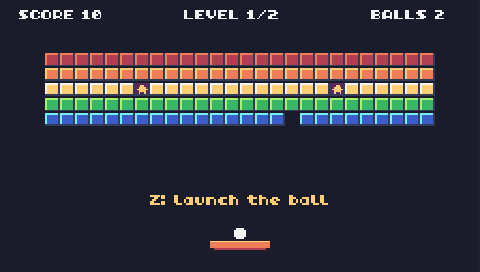
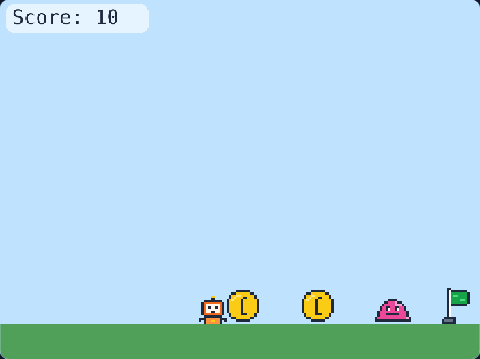
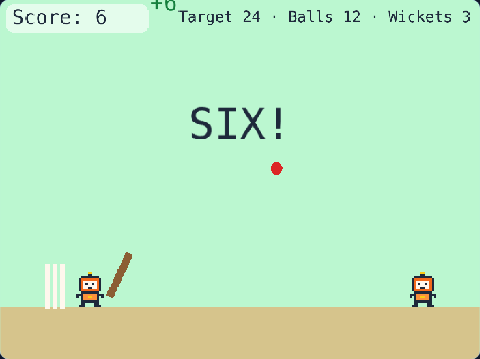
98 lines of real JavaScript, made with TalentJR Game Studio's game library. Lines that start with // explain what the next part does.
Show the whole game code
// 🧱 Brick Breaker — TalentJR Game Studio
// ✏️ Change these numbers, then press ▶ Run!
let paddleSpeed = 420
let paddleWidth = 110
let paddleColor = [242, 106, 27]
let ballSpeed = 300
let speedUpPerLevel = 60  // the ball is faster on every new level
let brickRows = 3
let brickPoints = 10
let levels = 3            // break all the bricks this many times to win
let startLives = 3

tj.setup({ background: "night" })
tj.touchControls("leftright")

const score = tj.score()
const lives = tj.lives(startLives)
let level = 1
const levelLabel = add([text("Level 1", { size: 22 }), pos(width() / 2, 14), anchor("top"), color(255, 255, 255)])

// The paddle — arrow keys (or A / D) move it
const paddle = add([rect(paddleWidth, 16, { radius: 8 }), pos(width() / 2 - paddleWidth / 2, 440), area(), color(...paddleColor), "paddle"])
paddle.onUpdate(() => {
    if (tj.isDown("left")) paddle.move(-paddleSpeed, 0)
    if (tj.isDown("right")) paddle.move(paddleSpeed, 0)
    paddle.pos.x = Math.max(0, Math.min(width() - paddleWidth, paddle.pos.x))
})

// The ball waits on the paddle for 1 second, then flies
const ball = add([rect(16, 16, { radius: 8 }), pos(0, 0), area(), color(255, 255, 255), "ball"])
let velocity = vec2(0, 0)
let waiting = true
function serve() {
    waiting = true
    velocity = vec2(rand(-0.6, 0.6), -1).unit().scale(ballSpeed + (level - 1) * speedUpPerLevel)
    wait(1, () => {
        waiting = false
    })
}
serve()

// The ball moves and bounces off the sides and the top — miss it and you lose a life
ball.onUpdate(() => {
    if (waiting) {
        ball.pos = vec2(paddle.pos.x + paddleWidth / 2 - 8, 422)
        return
    }
    ball.move(velocity)
    if (ball.pos.x < 0 || ball.pos.x > width() - 16) {
        velocity.x = -velocity.x                       // bounce off the sides
        ball.pos.x = Math.max(0, Math.min(width() - 16, ball.pos.x))
    }
    if (ball.pos.y < 0) velocity.y = Math.abs(velocity.y)   // bounce off the top
    if (ball.pos.y > height()) {                       // missed it!
        lives.lose()
        serve()
    }
})

// Hit the paddle: the edges send the ball sideways
ball.onCollide("paddle", () => {
    const hit = (ball.pos.x + 8 - (paddle.pos.x + paddleWidth / 2)) / (paddleWidth / 2)
    velocity = vec2(hit, -1).unit().scale(velocity.len())
    tj.sound("pop")
})

// The bricks: more rows on every level
const COLORS = [[239, 68, 68], [250, 204, 21], [74, 222, 128], [59, 130, 246], [236, 72, 153]]
function buildBricks() {
    for (let row = 0; row < brickRows + level - 1; row++) {
        for (let col = 0; col < 10; col++) {
            add([rect(58, 20, { radius: 4 }), pos(12 + col * 62, 60 + row * 26), area(), color(...COLORS[row % COLORS.length]), "brick"])
        }
    }
}
buildBricks()

// Hit a brick: it breaks and you get points
ball.onCollide("brick", (brick) => {
    destroy(brick)
    velocity.y = -velocity.y
    score.add(brickPoints)
    tj.sound("coin")
    if (get("brick").length === 0) nextLevel()
})

// Every brick gone: the next level (or you win)
function nextLevel() {
    if (level >= levels) {
        tj.victory("You broke every brick! 🎉")
        return
    }
    level = level + 1
    levelLabel.text = "Level " + level
    buildBricks()
    serve()
}